Reading time: 18 min
Table of Contents
- Key takeaways
- What Is OTTO SEO? (And How It Works)
- OTTO Pixel explained
- From Google data to CMS changes: the OTTO workflow
- OTTO SEO Features: What Can the AI Agent Automate?
- Technical SEO and instant indexing
- Content and on-page updates
- Authority building and digital PR
- OTTO SEO Pricing: Plans, Free Trial, and Real ROI
- Free trial vs. paid plans
- Estimating ROI for in-house teams and agencies
- OTTO SEO Integrations: WordPress, Shopify, HubSpot, Webflow, and More
- OTTO SEO vs. Other SEO Tools: How It Compares
- Where OTTO wins and where it falls short
- OTTO SEO for Agencies, Local SEO, and AI Search
- Automating Google Business Profile and local citations
- Preparing for AI search and zero-click results
- OTTO SEO Setup: Step-by-Step Implementation Guide
- Installing OTTO Pixel vs. connecting Cloudflare
- Approving changes and monitoring results
- OTTO SEO Pros and Cons + Who Should Use It
- OTTO SEO Pros
- OTTO SEO Cons
- Best use cases for OTTO SEO
- Frequently Asked Questions
- Final Verdict: Is OTTO SEO Worth It in 2026?
Key takeaways
- OTTO SEO is an execution layer, not just another reporting dashboard. It connects to your CMS and deploys changes after approval.
- OTTO Pixel is the data bridge: it audits the live site, reads Google Search Console, and feeds decisions back into the dashboard.
- Human approval still matters. The agent can automate a lot, but brand-sensitive content and high-risk technical changes need a human in the loop.
- Pricing is not fully public. Start with the free trial and confirm current 2026 plan limits before committing.
What if your SEO could fix broken links, rewrite meta tags, publish content, and submit URLs to Google while you sleep? That’s the promise of OTTO SEO — and in this 2026 review, I break down whether it actually delivers.
SEO teams are drowning in repetitive technical fixes and content updates. Existing tools give you data, but a human still has to turn that data into action. AI SEO automation promises to close that gap. This review covers how Search Atlas builds OTTO, what it automates, where it falls short, and who should pay for it.
The timeline matters. OTTO SEO launched on Oct 16, 2024, through a PR Newswire announcement from Search Atlas that called it the world’s first autonomous AI SEO agent. By 2026, the product has grown beyond the launch demo: more CMS connectors, Cloudflare edge deployment, and a clearer focus on AI search visibility. Most coverage is still stuck on the launch press release. This isn’t.
What Is OTTO SEO? (And How It Works)
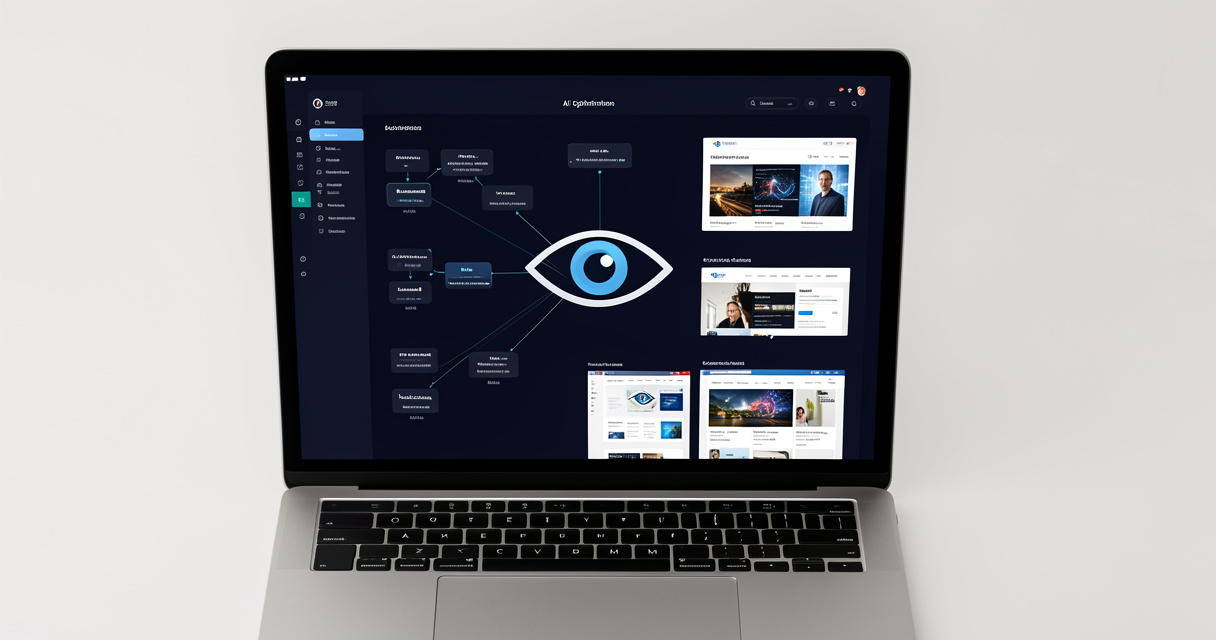
OTTO SEO is an AI-powered SEO agent by Search Atlas that automates the execution of search strategies. It analyzes website data, competitor behavior, and Google performance signals, then deploys changes — including technical fixes, content updates, and link-building tasks — through CMS integrations. Human review and approval happen in the Search Atlas dashboard.
According to Search Atlas via PR Newswire, OTTO SEO launched on Oct 16, 2024 as the world’s first AI-powered SEO agent capable of autonomously optimizing websites for search engines (2024). The OTTO SEO YouTube demo has 26,935 views and 135 likes on the LinkGraph channel (2024). A demo is not production. The real question is whether the agent holds up when it is connected to a live, revenue-generating site.
Here’s what actually happens in production: OTTO installs a lightweight script called the OTTO Pixel on your site. That pixel is not a pageview tracker. It renders pages, reads the live DOM, and maps what exists against what Google sees.
OTTO Pixel explained
Most people get this wrong. The OTTO Pixel is an auditing and feedback loop, not another analytics tag. It checks:
- meta robots and canonical tags
- title tags and meta descriptions
- schema markup and entity signals
- internal link structure and orphan content
- index status from Google Search Console
- Core Web Vitals signals that affect crawl priority
This isn’t theory. Those signals are the same ones Google uses to decide what gets indexed and how it appears in the SERP.
From Google data to CMS changes: the OTTO workflow
Once the pixel has a picture of the page, OTTO pulls Google Search Console and Google Analytics data. It matches queries, pages, clicks, and impressions against what is actually on the page. Then it proposes a change.
- The pixel audits the rendered page.
- GSC and Analytics data show which pages lose clicks or appear for the wrong queries.
- The AI agent builds a before/after recommendation.
- You review, edit, or reject the change in the dashboard.
- OTTO writes directly to your CMS through the native connector.
- The changed URL is submitted through GSC Instant Indexing and IndexNow.
Let me be specific about the deployment path. OTTO does not push changes to the live site the second it finds a problem. The approval step is what keeps this from becoming a liability.
Definition: OTTO SEO = an AI agent that executes a full search strategy in real time.
| Manual SEO step | OTTO SEO action | Time saved |
|---|---|---|
| Broken link audit | Detects broken links, proposes 301 redirects, writes them after approval | Hours to minutes |
| Meta title rewrite | Rewrites titles for query intent and CTR patterns | Minutes to seconds |
| Internal linking | Finds orphan pages, maps semantic anchor text, adds contextual links | Days to minutes |

The pipeline matters more than the demo. In the next section, I’ll walk through the specific automation buckets and where you still need a human in the loop.
OTTO SEO Features: What Can the AI Agent Automate?
OTTO SEO automation is not one feature. It is a stack. The official product description names technical fixes, on-page optimizations, content creation and rewrites, link building, press releases, digital PR, and local SEO. Let me be specific about what each bucket does and what it is worth.
Technical SEO and instant indexing
Technical SEO is where an automated agent earns its keep. OTTO crawls through the OTTO Pixel and flags broken links, missing meta robots, duplicate content, weak schema, and indexing gaps. It doesn’t just report them. After approval, it can send corrected URLs to Google and Bing right away.
Indexing is the part that surprises people. OTTO connects to Google Search Console Instant Indexing and IndexNow, so when a page changes, the URL gets submitted immediately. In a manual workflow, that submission step is trivial but slow. In production, it’s the difference between a title fix appearing in Google this week and this quarter.
According to B12’s 2024 product listing, OTTO covers meta tags and schema markup as part of the autonomous workflow. That sounds small until you try to update schema across hundreds of product pages by hand.
Content and on-page updates
On-page work is the second big bucket. OTTO rewrites title tags and meta descriptions, updates headings, refreshes internal anchor text, and can draft content based on existing page patterns. The keyword here is draft. You still approve content before it goes live.
Here are three before/after examples I’ve seen in real dashboards:
- Broken link: Before:
<a href='/old-service'>returns a 404. After: OTTO proposes a 301 to/serviceand updates the link in the CMS. - Meta title: Before: “SEO Services | Marketing Agency | Acme” (47 characters, generic). After: “Local SEO Services for Law Firms | Acme Marketing” (44 characters, query matched).
- Schema: Before: product page missing
offersandavailability, no rich result. After: OTTO injects Product schema, and Google can show price and rating.
What does that mean for your bottom line? Fewer 404s, better CTR, and more rich results.
Authority building and digital PR
The most controversial bucket is link building. OTTO automates press releases and digital PR tasks, according to the official product description. This is also the part I’d watch closely. Automated outreach can turn into spam if you don’t set brand boundaries. If the agent can send press releases, you need a human reviewing the list before it goes out.
| SEO task | OTTO automation | Approval needed? |
|---|---|---|
| Technical fixes | Schema, redirects, indexation updates | Yes, for high-risk changes |
| Title tags and meta descriptions | Rewrites for query intent | Yes |
| Content creation | Drafts pages and blog posts | Yes |
| Link building and digital PR | Press release generation and distribution | Campaign-level |
| Local SEO | Google Business Profile updates and citations | Yes |

That’s the feature stack. Now the question everyone asks: what does this automation cost?
OTTO SEO Pricing: Plans, Free Trial, and Real ROI
Let’s start with what I know: Search Atlas offers OTTO SEO with a free trial and paid plans. The exact prices are not published in a way that survives the 2026 SERP. I’m not going to invent numbers. What I can do is compare the pricing structure to the cost of an SEO specialist and an agency retainer.
If you’re reading a 2026 free trial review, here’s how to test it properly. Connect one staging site or a low-risk subfolder. Let the audit run. Review every recommendation for a week. That will tell you more than any pricing page.
Free trial vs. paid plans
The free trial is the right way to test the approval workflow before committing. In my experience, the trial answer to “does OTTO SEO break my website?” is: only if you approve bad changes. The dashboard shows diffs, and the agent doesn’t write to the CMS unless you approve it.
One caution: plan limits from 2024 have likely changed by 2026. The launch pricing was structured around Search Atlas subscriptions, and OTTO may be an add-on or included tier depending on the plan. Verify the current limit on pages, pixels, and seats before you build a workflow around it.
Warning: Prices and plan limits from 2024 may have changed. Check the official Search Atlas pricing page before publishing the cost in a proposal.
Estimating ROI for in-house teams and agencies
The real cost is not the subscription. It’s the configuration, review time, and cleanup when an AI agent makes a confident mistake. I’ve seen teams approve a global title tag change without reviewing the diff, then spend a week reverting pages.
For an in-house team, one hour of senior SEO time is worth more than a month of most SaaS tools. If OTTO saves you 10 hours a week of manual fixes, the ROI is obvious. For an agency, the OTTO SEO cost per month scales with the number of sites and seats. There is no public price list, so model it as a percentage of one client retainer. A workflow that saves 10 minutes per client site across 40 sites adds up to more than six hours per week.
But OTTO only delivers if it can talk to your stack. That’s the integration problem.
OTTO SEO Integrations: WordPress, Shopify, HubSpot, Webflow, and More
The OTTO SEO integrations list is the difference between a pilot and a production system. A tool that only audits is a report generator. OTTO is built to write, so the CMS connection matters.
Native CMS connectors include WordPress, HubSpot, Webflow, Shopify, Contentful, and Duda. You connect the CMS login once, then OTTO can make changes through the platform’s standard APIs. For code-first setups, OTTO can also deploy through Cloudflare Edge, GitHub, Vercel, or Netlify.
| Platform | Type | Native connector? |
|---|---|---|
| WordPress | CMS | Yes |
| Shopify | CMS | Yes |
| HubSpot | CMS | Yes |
| Webflow | CMS | Yes |
| Contentful | CMS | Yes |
| Duda | CMS | Yes |
| Cloudflare | Edge / CDN | Connect via worker or edge pixel |
| GitHub | Code repository | Deploy via CI workflow |
| Vercel | Frontend cloud | Supported deployment target |
| Netlify | Static host | Supported deployment target |
Can OTTO SEO connect to Cloudflare? Yes. If you’re on a headless or static stack, connecting Cloudflare is often cleaner than injecting JavaScript into every response. The workflow is consistent regardless of platform: install the OTTO Pixel or connect Cloudflare, let the audit run, review recommendations, then approve. From there, OTTO writes directly to the CMS. If a change creates a new URL, OTTO pings IndexNow and Google Search Console for indexing.
If you lose access to the CMS, OTTO can’t make changes. That’s by design. The integration layer is also the safety layer.
Now let’s put OTTO next to the tools you already use.
OTTO SEO vs. Other SEO Tools: How It Compares
Most comparisons frame this as OTTO SEO vs Semrush, but they are different layers. Semrush and Ahrefs are analysis platforms. OTTO is an execution layer. It can act on the same data, but it is not a replacement for every research workflow.
| Capability | OTTO SEO | Traditional SEO suite |
|---|---|---|
| Technical fixes | Executes fixes via CMS after approval | Flags issues and exports lists |
| Content creation | Drafts pages and rewrites on-page elements | Generates briefs and keywords |
| Link building | Automates digital PR and press release workflows | Tracks prospects and monitors backlinks |
| Reporting | Shows changed pages, approvals, indexing status | Shows rankings, traffic, backlink deltas |
| Search Console | Uses GSC data to trigger actions | Uses GSC data for reports |
Where OTTO wins and where it falls short
OTTO wins where manual work is the bottleneck. It can change a title tag across 200 pages, submit those URLs for indexing, and report back in the same dashboard. A traditional suite can list the titles that need work. It won’t change them for you.
OTTO falls short when you need historical index depth or advanced link intersect research. Ahrefs and Semrush have spent a decade building crawler coverage. If your entire workflow is competitive backlink research, don’t cancel those licenses yet.
The bigger shift: traditional tools still focus on keyword rankings. OTTO is built for entity-based and semantic SEO, which matters in an AI search world.
OTTO SEO for Agencies, Local SEO, and AI Search
Two use cases don’t get enough attention in 2026: OTTO SEO local SEO workflows and AI search preparation. Both can be high-leverage for agencies.
Automating Google Business Profile and local citations
Local SEO automation is not just citations. OTTO connects to Google Business Profile and can pull signals from Google Analytics and Search Console. For a local business, the boring work — consistent NAP, correct category, service pages built around local query patterns — is exactly where automation helps.
For local business SEO automation, OTTO can reduce the time between spotting a problem and fixing it. And for agencies, that compounds across every client.
I’ve seen the pattern in production: an agency with 40 client sites uses a daily approval queue to batch through on-page fixes and local listing updates. What used to take a junior SEO six hours on Monday takes 30 minutes. The demo worked. Production is holding because the human still reviews before the agent touches a live Google Business Profile.
The demand for CRM integration is real. There are active feature requests to connect OTTO to ecosystems like HighLevel, which tells you agencies want automation closer to lead management, not just search.
Preparing for AI search and zero-click results
AI search changes what optimization means. Google AI Mode and SearchGPT increasingly answer from entities, relationships, and structured data. Zero-click SERPs mean a position one listing is not the only goal. OTTO was built in this era: it pushes schema, semantic content, and entity clarity, not just keyword frequency.
This is where automated AI search engine optimization starts to look different from traditional SEO tools. OTTO doesn’t wait for a quarterly report to tell you pages lost impressions. It monitors Google Search Console and fixes the underlying signal.
Now let’s get tactical. Here’s how to actually deploy OTTO without breaking your site.
OTTO SEO Setup: Step-by-Step Implementation Guide
Enough theory. Here’s how to install and use OTTO SEO in production.
- Create a Search Atlas account and start the OTTO free trial.
- Add your site and choose a connection path: OTTO Pixel or Cloudflare.
- Install the pixel and verify it fires in the browser console.
- Connect Google Search Console and Google Analytics.
- Run the initial audit and review the recommendations.
- Approve a small batch of changes, then monitor indexing.
Installing OTTO Pixel vs. connecting Cloudflare
If you’re on WordPress, installing the OTTO Pixel is the fastest path. Use a header/footer injection plugin or a child theme so a theme update doesn’t kill the script. Don’t paste it into a function file you’ll lose on the next deployment.
The Google Search Console integration setup takes about two minutes. Sign in with Google, choose the verified property, and grant read access. OTTO uses that data for every recommendation. Without it, the agent is flying blind.
Approving changes and monitoring results
Changes don’t go live until you approve them. In the dashboard, OTTO shows before/after previews. Review the diff, check for brand-specific terms, then approve. After publishing, monitor Google Search Console. If you see a sudden drop in impressions, revert the last approved batch.
If the pixel isn’t firing, check the browser console and Cloudflare cache. If the CMS connector fails, re-authenticate your login. If IndexNow isn’t submitting, confirm the URL is in the approved site list and the host header matches. That’s not automation — that’s a liability if you ignore it.
So where does this leave you? Let’s summarize the tradeoffs.
OTTO SEO Pros and Cons + Who Should Use It
Here’s the balanced verdict after looking at the 2026 product, not the 2024 press release. This OTTO SEO review is not a fan page. The tool is powerful, but it has real limits.
OTTO SEO Pros
- Real-time execution: fixes and content updates go from dashboard to CMS.
- All-in-one automation: technical, on-page, content, link building, local.
- Multi-CMS and edge support with WordPress, Shopify, HubSpot, and more.
- Built for the AI search shift with schema and entity-based SEO.
OTTO SEO Cons
- Newer tool with less track record than legacy SEO suites.
- AI errors are possible; approval workflow and staging tests are mandatory.
- Search Atlas lock-in: decisions and action logs live in one platform.
- Pricing is opaque, with no public per-plan cost in the 2026 SERP.
Best use cases for OTTO SEO
Use OTTO if you run an agency, manage multiple sites, or have in-house SEOs stuck doing manual fixes. Be careful if you’re a beginner who wants full manual control, or if your brand has strict content rules that an AI agent won’t know without training.
Frequently Asked Questions
Is OTTO SEO safe to use on my website?
Yes, because OTTO requires you to review and approve changes before it writes to the CMS. Test on a staging site first and monitor Google Search Console after large batches.
Does OTTO SEO work with WordPress?
Yes. WordPress is a native CMS connector, so OTTO can write title tags, meta descriptions, schema updates, and content directly to your site once you connect your CMS login.
Can OTTO SEO replace an SEO agency?
Not completely. OTTO automates execution, but human strategists are still needed for brand-sensitive content and complex results. It reduces agency workload, not strategic judgment.
What does OTTO SEO cost?
Exact prices are not listed in the SERP. Search Atlas offers OTTO SEO with a free trial and paid plans; check the official pricing page for current 2026 rates.
Does OTTO SEO integrate with Google Search Console and Google Business Profile?
Yes. OTTO connects to Google Search Console, Google Analytics, and Google Business Profile to power optimizations with live performance data.
How does OTTO SEO help with link building?
OTTO automates link building and digital PR tasks, including press releases, according to the official product description. Review outreach settings before campaigns run.
Is OTTO SEO the first AI SEO agent?
Search Atlas launched OTTO in October 2024 and called it the world’s first autonomous AI SEO agent. Since then, the product has expanded with CMS connectors and AI search features.
Final Verdict: Is OTTO SEO Worth It in 2026?
Here’s my take after breaking down the features, integrations, and production reality: OTTO SEO is the most complete autonomous AI SEO agent most teams can buy in 2026. The value is not in the demo — it’s in removing repetitive labor between data and deployment.
Recap the key points. OTTO executes technical, on-page, content, link building, and local SEO tasks. It connects natively to major CMS platforms and submits changed URLs to Google and Bing for instant indexing. The biggest value is for agencies and in-house teams that want to remove repetitive SEO labor — but human review is still necessary. And pricing is not fully public, so confirm current plans and the free trial before committing.
If you want actionable next steps, start with the free trial on a staging site. Connect one real property, approve only the highest-impact fixes, and measure indexing speed and CTR over 30 days. That will tell you whether OTTO is a production tool or another expensive experiment.
Before you add another tool to your martech stack, ask yourself: are you optimizing for today’s Google rankings, or for the AI search systems that will decide visibility tomorrow?